Is Your Site Invisible to ChatGPT?

Your site might be blocked from AI systems without you knowing. There’s no Search Console for ChatGPT. Nothing tells you when something’s wrong.
Here’s how to check.
Quick Test
Open ChatGPT and type:
Browse to [your URL] and summarize what you find.
If ChatGPT summarizes your content, you’re fine. If it says it can’t access the page, something’s blocking it.
For Perplexity, search a question your content answers. Check if you appear in the citations. No citations despite relevant content = possible access problem. See how to get cited by Perplexity for more on what influences citation.
Check Your robots.txt
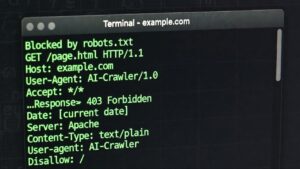
Most visibility problems come from robots.txt. Visit yoursite.com/robots.txt and look for these:
# These block AI crawlers
User-agent: GPTBot
Disallow: /

User-agent: ClaudeBot
Disallow: /

User-agent: PerplexityBot
Disallow: /
If you see Disallow: / under any AI crawler, that bot can’t access your site.
No mention of AI crawlers at all? That’s fine. They’re allowed by default.
Other Things That Block AI
Security plugins. Wordfence, Sucuri, and iThemes Security can block bots they consider suspicious. Check your plugin settings for bot filtering or user-agent blocking.
Cloudflare/CDN rules. Firewall rules and bot management settings sometimes flag AI crawlers. Check your Cloudflare dashboard under Security → WAF.
Hosting provider defaults. Some managed WordPress hosts block AI crawlers by default. Contact support if you suspect this.
If You’re Blocked
To allow AI crawlers, edit your robots.txt:
User-agent: GPTBot
Allow: /

User-agent: ClaudeBot
Allow: /

User-agent: PerplexityBot
Allow: /
On WordPress, you can edit robots.txt through Yoast (Tools → File Editor) or RankMath (General Settings → Edit robots.txt).
Changes take effect immediately for new requests. But AI systems may not recrawl your site for days or weeks, so don’t expect instant results.
If You’re Not Blocked But Still Not Cited
Access and citation are different problems.
If AI can reach your site but doesn’t cite you, the issue is probably:
- Your content doesn’t match queries people ask
- Competitors have stronger content on the same topics
- Your content structure makes extraction hard (walls of text, vague headings)
- You haven’t been indexed yet (give it time)
Access is binary: you’re either blocked or not. Citation is probabilistic: better content and structure improve your odds but don’t guarantee anything.
The Limits of Control
Even if you do everything right, some AI access is uncontrollable.
ChatGPT’s Atlas browser and Operator agent use standard Chrome user-agent strings. They look like regular browser traffic. You can’t block them via robots.txt without blocking real Chrome users. This is the agentic AI shift: AI that browses like humans do.
And 13.26% of AI bot requests now ignore robots.txt entirely, up from 3.3% a year ago. robots.txt is advisory, not enforceable.
FAQ
Why would I be blocked without knowing?
Common causes: security plugin added AI blocking as a “feature,” hosting provider defaults, inherited robots.txt from a previous developer, or Cloudflare rules you forgot about.
Does this affect my Google rankings?
No. Googlebot and GPTBot are separate. You can block one without affecting the other. Same for Google-Extended (Gemini) vs Googlebot (Search).
How often do AI systems crawl sites?
Varies. Major sites get crawled frequently; smaller sites less often. There’s no public schedule.
Can I make AI systems crawl me faster?
Not directly. Unlike Google Search Console, there’s no “request indexing” button for AI crawlers. Just make sure you’re not blocking them and wait.
Malcolm Michaels is the founder of HeyTC and creator of GetCited. This post was developed with AI assistance: human direction, AI drafting, human editing.